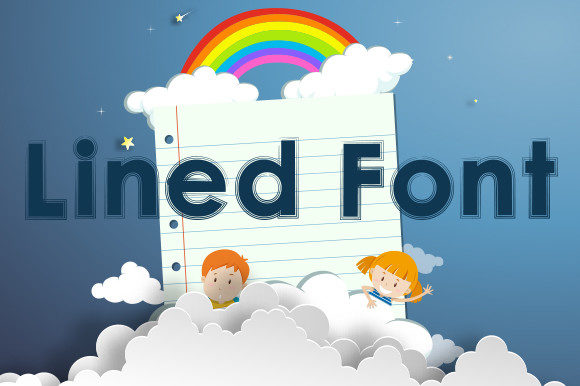
Lined Font: Navigating Bold Display Typography Without the Pitfalls
When you need to grab attention instantly, Lined is often the first choice for designers and business owners alike. It is a bold, thick lettered display font that commands space on any canvas. Whether you are designing a logo for a new startup, creating eye-catching signage, or putting together a poster for a local event, Lined offers the visual weight necessary to cut through the noise. However, while its impact is undeniable, using it effectively requires more than just dragging and dropping text onto a design file. There are common misunderstandings about how this typeface functions in real-world applications, and avoiding these pitfalls can mean the difference between a professional presentation and a cluttered mess.
The appeal of Lined lies in its simplicity and strength. It is not a subtle script or an intricate serif; it is a statement. This makes it ideal for headlines, labels, t-shirts, badges, and news graphics. But because it is so dominant, it demands respect in terms of spacing, context, and pairing. Many creators underestimate the power of negative space when working with such heavy typography, leading to designs that feel cramped and hard to read. Understanding the nuances of Lined will help you leverage its potential without falling into typical design traps.
The Trap of Overcrowding and Poor Spacing
One of the most frequent mistakes made with Lined is neglecting kerning and tracking. Because the letters are thick and blocky, they naturally occupy more visual real estate than thinner fonts. When designers pack them too tightly, the white space between characters disappears, causing the text to blur into an indistinguishable blob from a distance. This is particularly problematic for signage and large-format prints where readability is paramount.
To avoid this, always increase your tracking (letter-spacing) slightly more than you would with a standard sans-serif. Give Lined room to breathe. A good rule of thumb is to look at your design from a few feet away; if the words start to merge, pull the letters apart. This simple adjustment enhances legibility and adds a layer of sophistication to your work. For example, when using Lined for a brand logo, ensure that the spacing allows each character to stand out individually while still forming a cohesive unit. This prevents the logo from looking like a solid bar of ink rather than a distinct typographic mark.
Misapplying Lined in Body Text
It might seem obvious, but there is a persistent trend of using display fonts like Lined for long-form body copy. While it works beautifully for headings, using it for paragraphs of text is a major usability error. The thickness of the strokes creates high contrast against the background, which causes eye strain during prolonged reading. Furthermore, the bold nature of the font reduces the clarity of smaller sizes, making fine details difficult to discern on mobile screens or printed brochures.
If you need to convey information alongside Lined, pair it with a clean, lightweight sans-serif or a readable serif for the body text. This creates a strong hierarchy that guides the reader’s eye. Use Lined for the hook—the title, the subhead, or the call-to-action—and let a simpler font handle the explanation. This approach not only improves accessibility but also ensures that your message is communicated efficiently. Remember, the goal of design is communication, not just decoration. If the audience struggles to read the details, the bold headline has failed its purpose.
Ignoring Context and Brand Voice
Lined is a bold font, but bold does not always equal appropriate. One of the overlooked details in choosing a typeface is the emotional resonance it carries. Lined conveys confidence, stability, and urgency. It is excellent for sports brands, construction companies, tech startups, and promotional sales. However, it may clash with brands that aim for elegance, delicacy, or tradition. Using Lined for a luxury jewelry label or a formal wedding invitation can create a dissonant experience for the viewer, undermining the perceived value of the product.
Before committing to Lined, ask yourself what emotion you want to evoke. If you are designing letterhead for a law firm or a boutique hotel, consider whether the aggressive weight of Lined aligns with your brand identity. In these cases, a more refined typeface might better serve your communication goals. Conversely, if you are launching a fitness app or a streetwear line, Lined’s assertive character can reinforce your brand’s energetic and robust image. Always evaluate the font within the broader context of your visual identity system.
Technical Considerations: File Formats and Scalability
Another practical aspect often ignored is the technical performance of the font across different mediums. Lined is designed as a display font, meaning it is optimized for larger sizes. When scaling it down for small icons or low-resolution web elements, it can lose its definition and appear jagged or pixelated. Additionally, some versions of bold fonts may have licensing restrictions that limit their use in digital embeds or commercial merchandise.
Always check the license agreement before purchasing or downloading Lined. Ensure that it covers your specific use case, whether that is print, web, or merchandise like t-shirts and mugs. From a technical standpoint, test the font at various sizes and resolutions. If you are using it for signage, verify that the vector files maintain their sharp edges when scaled up to billboard size. For digital use, consider converting critical text to outlines or using high-resolution PNGs to preserve quality. These steps prevent costly reprints and ensure that your design looks crisp everywhere it appears.
Pairing Strategies for Maximum Impact
Effective design relies on contrast, and Lined provides plenty of it. To make the most of this font, pair it with complementary types that offer balance. Since Lined is heavy and geometric, it pairs well with light, organic, or handwritten fonts. This combination creates a dynamic tension that is visually engaging. For instance, using a delicate script for a tagline beneath a bold Lined headline can soften the overall look while maintaining impact.
- For a modern look: Pair Lined with a minimal sans-serif like Helvetica Light or Roboto Thin.
- For a creative vibe: Combine it with a casual handwritten font for accents or quotes.
- For editorial design: Use a classic serif for body text to ground the boldness of the headline.
By experimenting with these pairings, you can create versatile designs that suit various purposes, from marketing materials to educational content. The key is to let Lined be the star while supporting roles enhance its presence without competing for attention.
Evaluating Your Choices Before Finalizing
Before you finalize any project featuring Lined, take a step back and review your work critically. Ask yourself if the font serves the message or if it is just there because it looks cool. Check the alignment, ensuring that the thick strokes do not create optical illusions of misalignment. Test the color contrast; bold fonts often require higher contrast ratios to remain readable against busy backgrounds. Finally, seek feedback from others. What you see after hours of staring at a screen may look different to a fresh pair of eyes.
Lined is a powerful tool in any designer’s arsenal, capable of transforming ordinary layouts into striking visual statements. By avoiding common mistakes like overcrowding, misapplication, and ignoring context, you can harness its full potential. Whether you are a freelancer creating a personal brand, a marketer designing a campaign, or a hobbyist crafting a custom gift, understanding how to use Lined wisely will elevate your work. Focus on clarity, balance, and intentionality, and your designs will not only look bold but also communicate effectively.